How to Update GB WhatsApp Without Losing Data
Updating GB WhatsApp does not usually require deleting the existing app. To reduce the risk of losing chats, photos, and other data, back up your important information before installing the new version.
Back Up Your GB WhatsApp Data
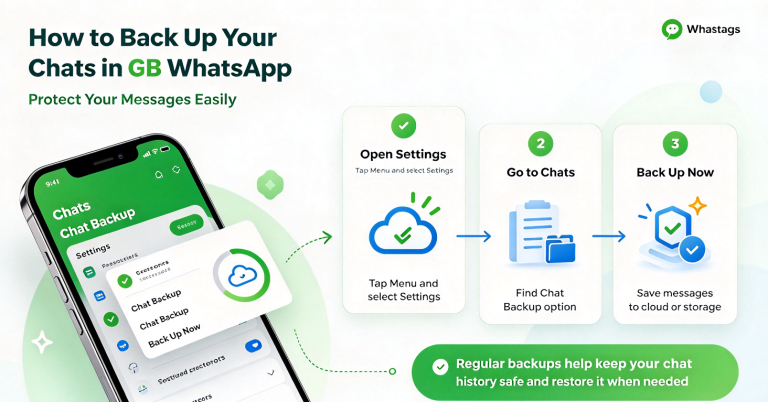
Before updating, open GB WhatsApp and create a backup of your chats. Make sure the backup process finishes successfully before continuing.
You should also keep important photos, videos, and documents in a separate safe location if they are important to you.
Download the New GB WhatsApp APK
Download the newer APK from a source you trust. Check the version and make sure the file is completely downloaded before opening it.
Avoid deleting your current GB WhatsApp just to install the update.
Install the Update Over the Existing Version
Once the APK is ready:
- Open the downloaded APK.
- Allow installation from the selected source if required.
- Tap Install.
- Wait for the installation to finish.
- Open GB WhatsApp.
- Check your chats and media.
Installing the compatible newer version over the existing installation can help keep your existing app data.
Check Your Chats After Updating
After the update, open several conversations and check your recent messages, photos, and videos. If everything appears normally, the update has completed successfully.
Do not immediately delete your backup until you have confirmed that your important data is still available.
What If the Update Fails?
If the new APK cannot be installed, check your available storage, Android compatibility, and APK file. A damaged or incomplete APK can also cause the installation to fail.
If the installer asks you to remove the existing version, stop and make sure your chat backup is available before uninstalling anything.
How to Avoid Losing Data When Updating
The safest approach is simple: back up first, keep the existing installation, and then install a compatible update.
Do not rush to uninstall the old version when an update does not work. Check the cause of the installation problem first and make sure your important data is backed up.
FAQ
Will Updating GB WhatsApp Delete My Chats?
A compatible update installed over the existing app should normally keep the existing data, but backing up your chats first is recommended.
Should I Uninstall GB WhatsApp Before Updating?
No. If the new APK is compatible, you can usually install it over the existing version.
What Should I Do If My Chats Disappear After Updating?
Check whether your previous backup is available before making further changes to the app. A backup can help restore your conversations when supported by the installed version.